
SMX-RNS20
Remote access, edge computing, and cloud integration — all built in. One device, zero configuration.
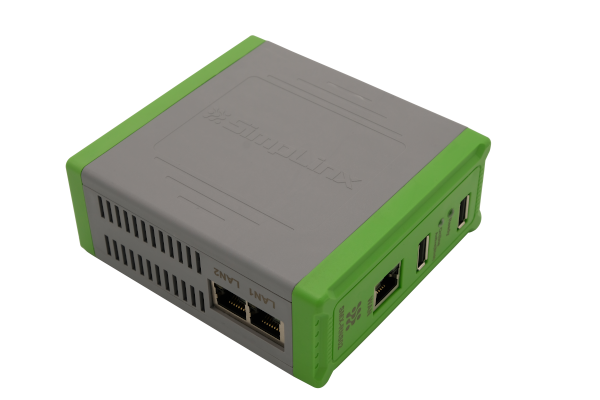
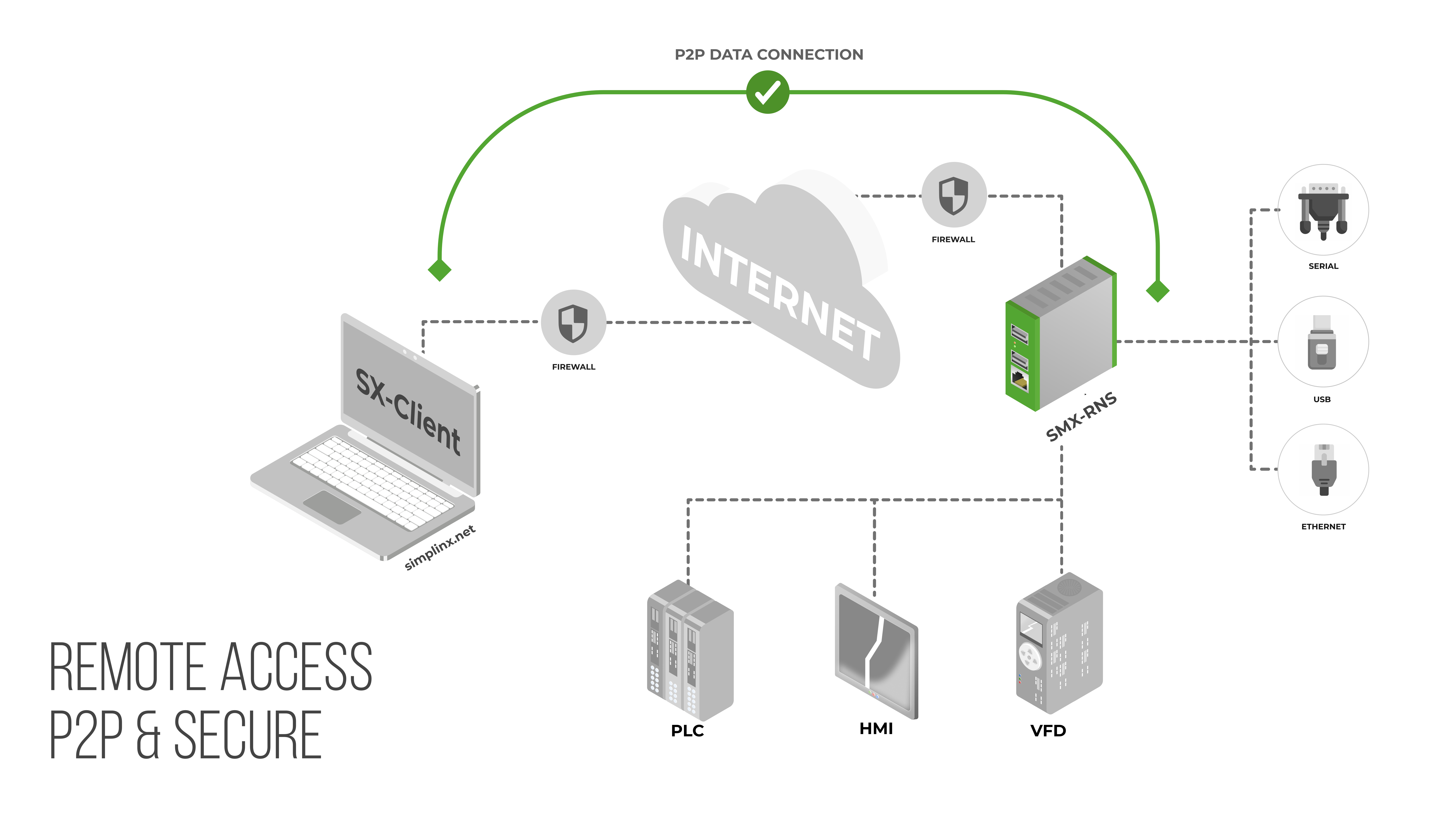
The SMX-RNS20 is a compact DIN-rail remote access unit that creates encrypted P2P tunnels to PLCs, HMIs, and SCADA systems at customer sites — with no IT configuration required on the remote end. Connect via Ethernet, a USB Wi-Fi adapter, or a mobile phone via USB tethering — no local network needed.
Unlike classic VPN or cloud-relay solutions, your industrial data never passes through Simplinx servers. The signal layer uses Simplinx Servers only to establish the connection; all actual traffic flows directly between the device and the client PC over a DTLS-encrypted channel. Only outbound TCP 443 is required — no inbound firewall ports to open.
Key Features
- 2-port Ethernet switch for local device connections (PLCs, HMIs, panels)
- Dedicated WAN port — DHCP pre-enabled, just plug in the RJ-45 cable
- Wireless access point via USB Wi-Fi adapter for local wireless programming
- Serial support: up to 4× RS-232 / RS-485 via SMX-RS001 USB adapter
- P2P DTLS encryption — data never routed through Simplinx servers
- 4096-bit RSA certificate + SHA-256, TLS 1.2/1.3 signal channel
- Dual root filesystem — automatic rollback if a firmware update fails
- LED status indicators for device readiness and active connection
- Bridge mode — SCADA and OPC applications read and write directly to all PLCs and HMIs on the local network
- USB converter support — Siemens USB-MPI and other USB-to-serial adapters for legacy device connections
*.simplinx.net is required. No inbound ports, no VPN concentrator, no changes to your existing firewall rules.Compatible Accessories
One Device. Three Platforms.
The SMX-RNS20 is not just a remote access unit. SX-IO — pre-installed, no extra licence — turns it into a complete edge computing and cloud integration platform.
Secure Remote Connection
Direct encrypted P2P tunnel from your PC to the device — no cloud relay, no industrial data leaving your network through third-party servers.
- Ethernet, RS-232/RS-485 serial, Siemens USB-MPI and USB-to-serial adapters
- Outbound TCP 443 only — no inbound firewall ports, no VPN concentrator
- 4096-bit RSA certificate + SHA-256; optional hardware USB security dongle
- Dual root filesystem — automatic firmware rollback on failed update
Edge Computing & Local Storage
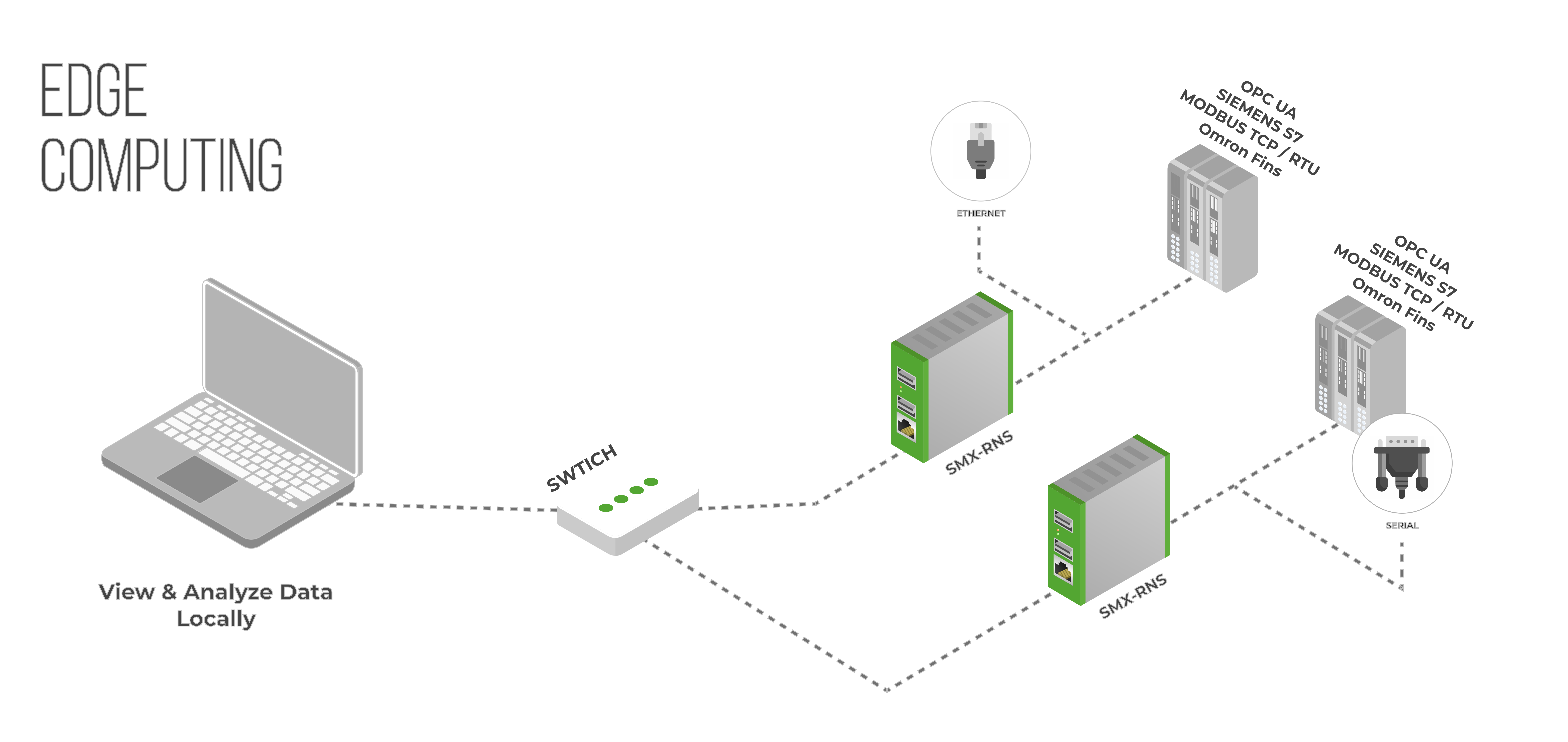
Collect, process, and store industrial data at the source. SX-IO runs autonomously — alarms, archives, and reports continue even when the internet is unavailable.
- Protocols: Modbus TCP/RTU, OPC-UA, Siemens S7, OMRON FINS, Serial
- 2 GB local SQL database — ~40 analog archives per minute for one year
- Cyclic or condition-triggered archiving; historical trend charts
- 17 OMAC machine states — log and analyse line efficiency over time
- Email & SMS alerts; daily, weekly and monthly scheduled reports
Cloud & External Integration
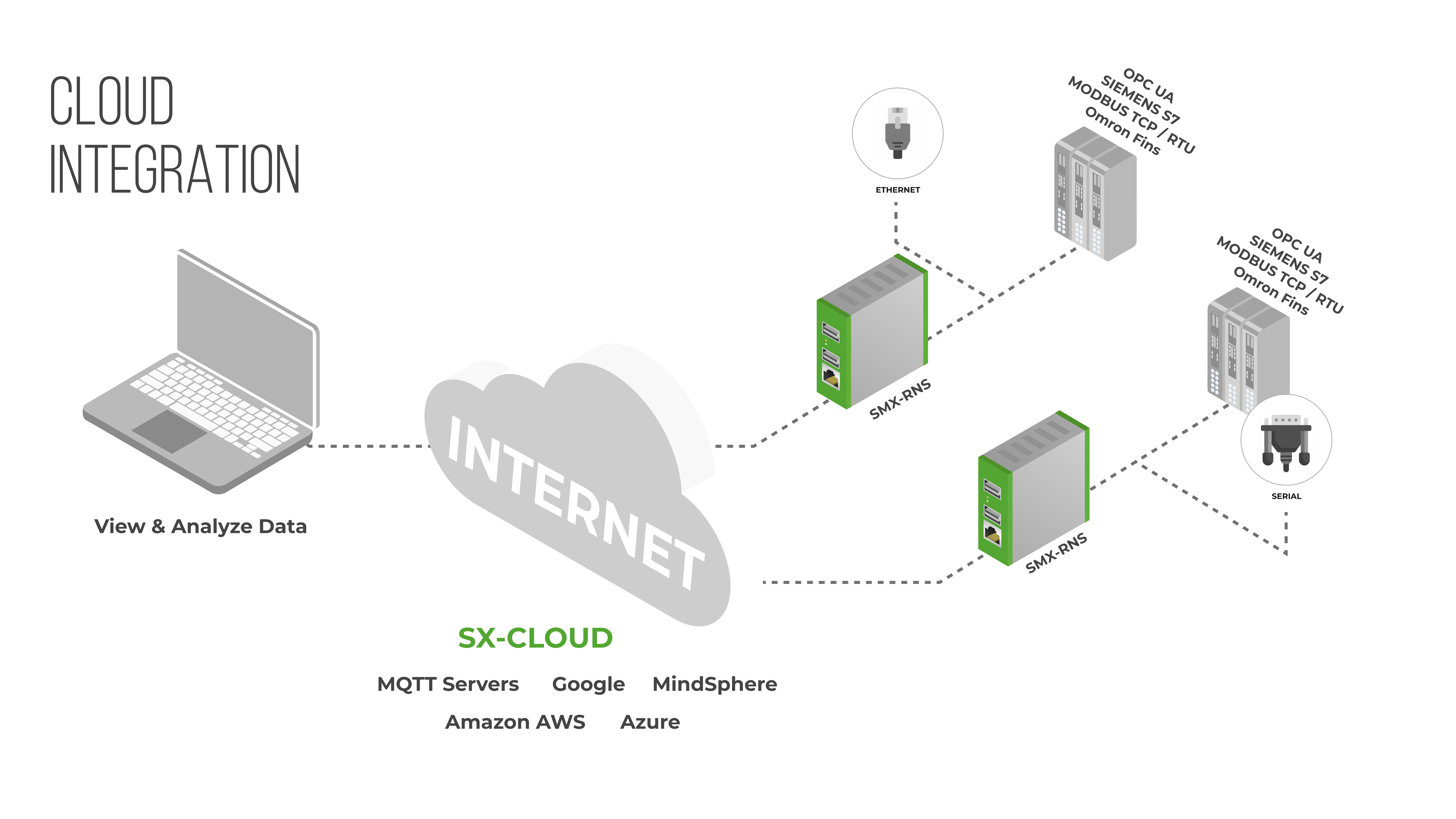
Push data to any major cloud platform or external SQL database in any format and at any interval. Offline buffering prevents data loss — queued data syncs automatically on reconnection.
- AWS IoT, Azure IoT Hub, Google Cloud, MQTT broker
- External SQL databases: PostgreSQL, MySQL, MS SQL
- Configurable buffer — days of offline data retained and synced on reconnection
- Cyclic or event-driven publishing; JavaScript conversion scripts per tag
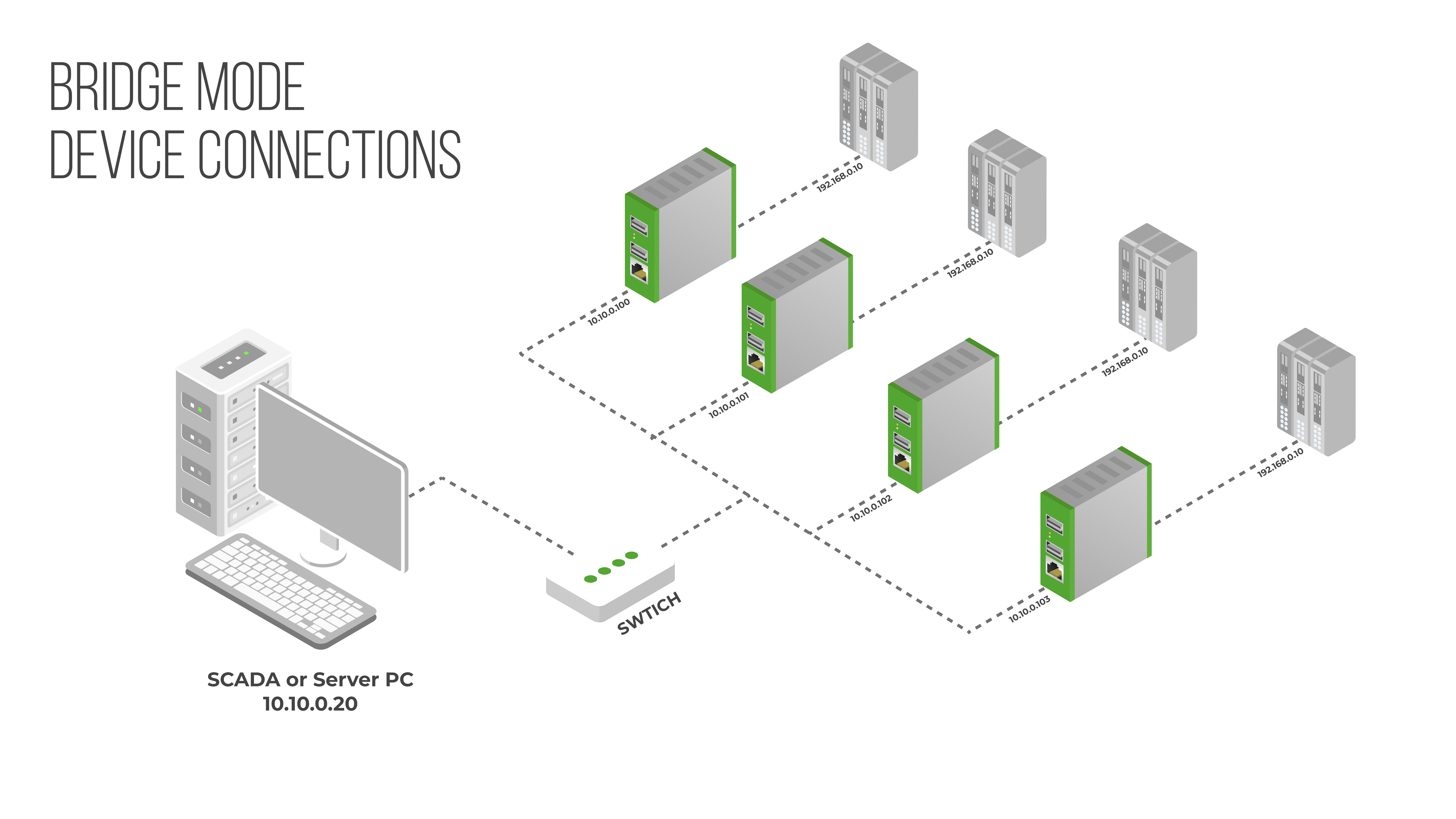
Bridge Mode
Grant office-side devices controlled access to specific ports on specific PLCs or HMIs — without exposing the entire machine network. The machine cannot initiate connections back to the office.
- Port-level rules: only permitted source IPs can reach permitted device ports
- Machine network is isolated — no outbound access to the office LAN
- No changes required on target PLCs, drives or panels
- Configure in minutes through the built-in web interface